The surprising part isn't that productivity web apps support real time collaboration, it's that most serious ones now have to. Once teams started working across time zones, live editing stopped being a nice-to-have and turned into a default expectation, which is why collaboration traffic surged during the remote-work shift and why the category kept expanding afterward Comscore's collaboration usage data and the collaboration-app revenue picture matter so much. If you're building in 2026, the question isn't whether to add live co-editing, it's where it belongs, what it should cost operationally, and when it should stay turned off.
The 2026 Default for Productivity Web Apps
By 2026, real time collaboration is no longer the feature that makes a productivity app stand out. It is the baseline users expect the moment they open the product. The shift was visible early in the pandemic, when Comscore reported six billion minutes spent on top collaboration tools in May 2020 and a 322% jump in collaboration-platform usage from May 2019 to May 2020 Comscore data cited by FinancesOnline. By 2021, 79% of workers worldwide were using digital collaboration tools, which shows the behavior reached well beyond software teams or early adopters.
For founders, the commercial signal is just as clear. Worldwide collaboration applications revenue reached $22.6 billion in 2020, up 32.9% from 2019, and the broader productivity-apps market generated $32.5 billion in revenue in 2024, with 17.3% year-over-year growth Business of Apps and IDC-cited figures. Microsoft Teams also crossed 300 million users in 2024, and Microsoft later reported 320 million monthly active users, which shows how live collaboration has become part of everyday business software Business of Apps and IDC-cited figures.
A useful way to read that shift is simple. Launching a productivity app without live co-editing now feels like launching an email tool without search, or a calendar without invites. You can still ship it, but users immediately notice the missing workflow.

For a compact field guide to the available tools, GitDocAI's collaborative docs roundup is a useful reference when you are comparing doc-first products and broader workspaces.
Practical rule: if the product promises shared work, users now assume the work surface itself updates live, not just the chat sidebar around it.
What Real Time Collaboration Actually Means Inside a Web App
The cleanest mental model is a shared whiteboard. One person writes, another circles a section, a third drops a note, and everyone sees the same board evolve at the same time. That's what real time collaboration does in a web app, except the canvas might be a document, a spreadsheet, a CRM record, a proposal, or a project board.
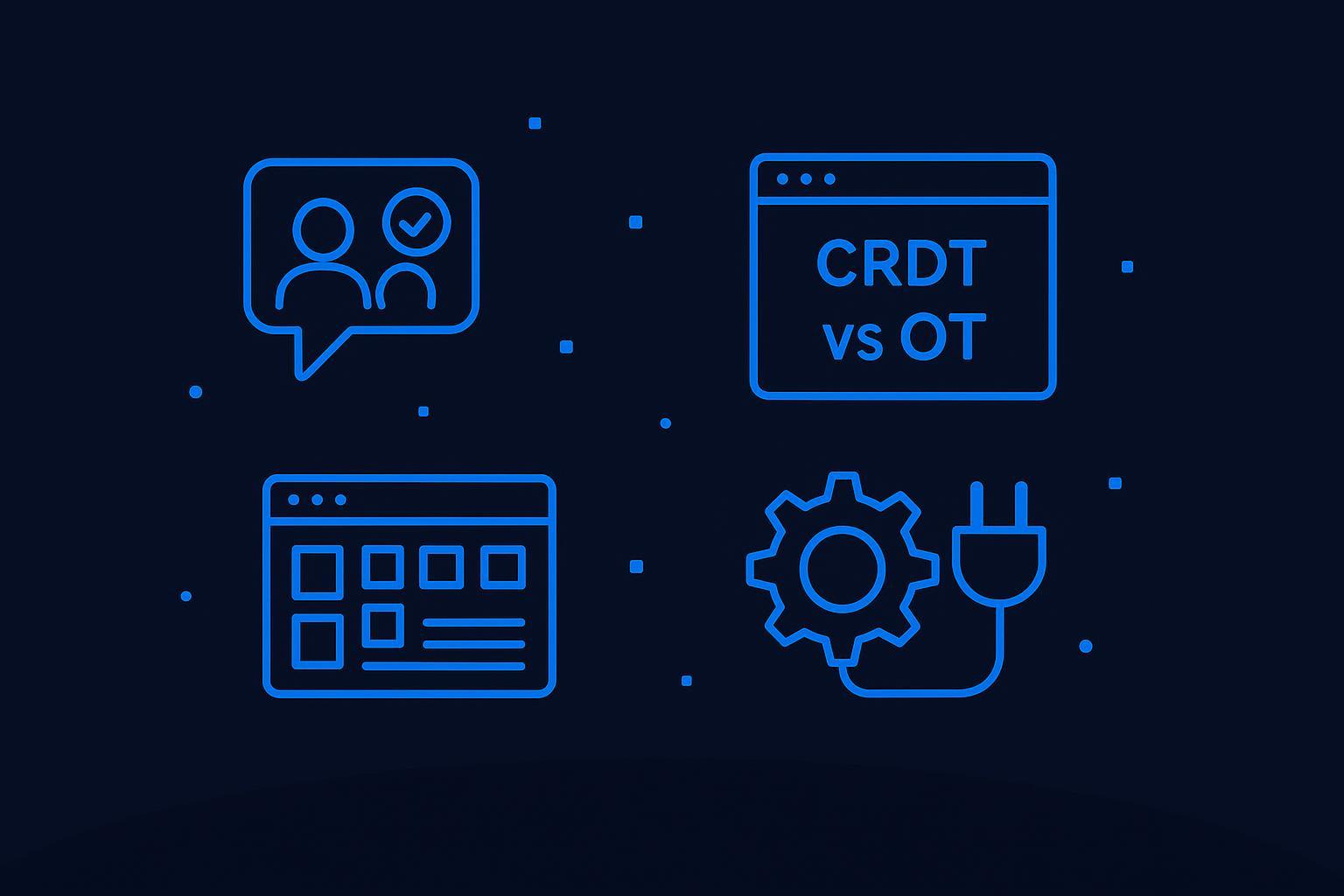
The four mechanics users actually notice
The first mechanic is live multi-user editing. Two people type in the same document, and the app keeps the text coherent instead of splitting it into separate copies. In Google Docs, that feels natural because the product surface is built around shared editing, not file checkout.
The second is presence indicators. A name bubble, a cursor label, or a small avatar tells you who's in the workspace and who's actively editing. This lowers accidental collisions and makes the room feel inhabited rather than static.
The third is chat and comment threads layered directly on the work. Slack-style messages in a side panel are useful, but inline notes on a paragraph or card keep the discussion attached to the artifact itself. That's why collaboration features are usually visible right where the work happens.
The fourth is synchronized file and asset sharing. A design brief, a spreadsheet, or an attached mockup shouldn't require a manual refresh before teammates can act on it. In practice, this is what keeps a live workflow from feeling fragmented.
Practical rule: if a feature helps someone avoid asking, “Is this the latest version?”, it belongs on the main work surface, not hidden in settings.
If you're building something document-shaped, the proposal editor for Vue apps is a good example of how a structured surface can still feel collaborative without becoming cluttered. The key is that the app exposes the live state where people already spend their attention.
The Technical Stack Behind Live Co Editing
Live co-editing usually sits on three layers, and each layer solves a different problem. The transport layer moves updates quickly. The sync layer resolves competing edits. The persistence layer makes sure the latest state survives refreshes, reconnects, and crashes.
Transport, sync, and storage are separate jobs
The transport layer is almost always WebSockets, because the connection stays open in both directions and keeps interaction latency low. In one-way scenarios, Server-Sent Events can work as a fallback, but they don't give you the same bidirectional feel. A practical guide for multi-user web apps treats sub-100 ms interaction latency as the line between real-time and merely fast technical overview. That matters most when users are following cursors, dragging selections, or editing the same cell at once.
The sync layer is where Operational Transformation or CRDTs come in. This is the part that decides what happens when two users insert text into the same paragraph or update the same row at the same time. Without it, the transport layer just delivers chaos faster.
The persistence layer keeps the document state durable. That might be Postgres, a document store, or a dedicated collaboration backend, but the principle is the same. You need a version that can be reconstructed after a disconnect, not just a live session in memory.

One edit should feel instant to the person who made it, but safe to everyone else. That only works when transport, merge logic, and storage are kept separate.
The common mistake is to treat the socket as the whole system. It isn't. The socket only keeps the conversation moving. The sync layer decides what the conversation means.
For a more implementation-oriented walkthrough of live updates, the internal guide on real-time updates is a useful companion if you're mapping this architecture into a shipping product.
OT vs CRDTs and How to Choose
OT and CRDTs solve the same user problem, but they make different tradeoffs under the hood. OT, or Operational Transformation, is the older approach and has proven itself in systems like Google Docs and Etherpad. CRDTs, or Conflict-Free Replicated Data Types, are newer and are built so concurrent edits can merge without a central ordering bottleneck.
How the choice plays out in a small team
OT still makes sense when the team wants a proven model and is comfortable keeping the server in the merge path. It's a reasonable fit if the product already has a strong central backend and the documents aren't expected to go fully offline. The downside is that server coordination can get intricate as the collaboration surface grows.
CRDTs are often the better default for indie founders and smaller teams in 2026. They're friendlier to offline-first behavior, they handle merge conflicts naturally, and the JavaScript ecosystem has strong momentum around Yjs. If you want a practical starting point, Yjs is the library to evaluate first.
What managed options change
A managed layer can remove a lot of plumbing. Services like Liveblocks and Partykit reduce the burden of building your own room routing, sync transport, and infrastructure glue. That doesn't eliminate product decisions, but it does shift your time away from backplane management and toward the actual UX.
| Decision criterion | OT | CRDTs |
|---|---|---|
| Developer ergonomics | Familiar if your stack already uses a central server | Usually easier for distributed clients and offline behavior |
| Merge behavior | Strong, but server-coordinated | Conflict-free by design |
| Operational complexity | Higher on the server side | Higher memory and document-model complexity |
| Best fit | Controlled environments, mature backend teams | Indie apps, mobile-adjacent flows, offline-tolerant products |
The practical bias is clear. Start with CRDTs and Yjs unless you already know your architecture needs OT. Keep OT in mind for mature collaboration stacks with heavy server-side control, but don't pick it just because it sounds safer.
Scaling, Reliability, and What Breaks First in Production
The first thing that hurts at scale isn't usually the sync algorithm. It's fan-out under contention. One edit has to reach many clients, sometimes across multiple app servers, and the room has to stay coherent while users join, leave, or reconnect. That's why architecture guidance for collaborative tools recommends segmenting by document or room and using a Redis Pub/Sub backplane or similar broker to propagate updates horizontally 4Geeks architecture guide.
The hidden costs show up outside the editor
Presence is expensive because it updates constantly. If cursor heartbeats fire too often, the system starts spending more on signaling than on editing. Audit logs are another trap. Every meaningful edit needs to be recorded in a way that survives session churn, which means the logging path can't be an afterthought.
RBAC also has to live in the sync layer, not only in the UI. A hidden button doesn't protect a document if the client can still send a forbidden operation. That's why practical collaboration systems enforce permissions where messages are accepted, not where buttons are drawn.
Operational rule: the moment a live document becomes customer-facing, the expensive parts are presence, auth, history, and throughput, not the text box itself.
Reliability-focused teams also need to think about snapshots and replay. A CRDT document should be persisted and periodically snapshotted so recovery doesn't depend on replaying every event since launch. That's especially important once rooms start accumulating long edit histories.
For a practical SRE mindset around these workflows, reliability practices from Fivenines are worth skimming before you expose collaboration to paying users. The concerns are familiar, alerting, failure isolation, and recoverability, but the blast radius gets bigger when every keystroke is part of the product.
If you're instrumenting the stack, the internal notes on monitoring and logging pair well with this problem space because collaboration systems tend to fail before they fail loudly. A room that looks healthy in the UI can still be dropping updates or lagging on merge.
When Async Collaboration Beats Real Time
Real time is a poor default for many workflows. Live co-editing and async collaboration solve different problems, and they carry different costs. Live work fits a small group that needs to make decisions quickly. Async work fits the jobs that need reflection, review, or coordination across time zones.
Use the shape of the work as the filter
Long-form drafting usually works better async. Writers need space to think, revisit sections, and avoid turning every sentence into a live negotiation. Approval flows also fit async better, because the bottleneck is often review, not typing.
Distributed teams feel the trade-off most clearly when notifications start piling up. Real-time channels can create a lot of motion without producing much progress, especially when ten people are watching a document that only two should edit. In those cases, comments, version history, and scheduled handoffs usually feel calmer and move faster overall. For teams that need to keep people informed without forcing everyone into the same room, building a robust notification system matters more than adding another live cursor.
Real time wins when people are co-creating in a narrow window, like a design review, a live troubleshooting session, or pair work on a small artifact. It loses when the coordination overhead starts to outweigh the value of simultaneity.
If everyone doesn't need to react now, don't force them to.
That is why the better products do not turn live editing on everywhere. They scope it to the surfaces where shared attention helps, then leave the rest of the workflow async. A task description can stay async while the proposal body or status table updates live.
For product teams, the decision rule is straightforward. If the goal is faster agreement, go live. If the goal is thoughtful revision, approvals, or fewer interruptions, keep it async.
Shipping Real Time Features Without Writing the Plumbing
A small team doesn't need to run a full WebSocket fleet to ship collaborative workflows. A better approach is to compose the stack. Use Supabase for auth and a Postgres-backed data layer, connect a managed collaboration service or your builder's live-editing surface for sync, and wire notifications and analytics through tools like Resend and PostHog. The point is to own the product behavior without owning every transport detail.
What a no-code flow can handle well
A no-code builder like WebTwizz can cover the outer layers of this system by letting you model pages, connect data, and use realtime subscriptions to append incoming events to the UI without a refresh. It can also help with reconnect handling so the app recovers missed records after a dropped connection, which is exactly the kind of polish that makes live collaboration feel stable instead of fragile. That works well for CRMs, dashboards, booking apps, lightweight editors, and internal tools where the collaboration surface is useful but not the whole business.
The place where custom code still wins is the sync boundary. If your document model needs scheduled snapshots, more complex merge rules, or strict moderation logic, you'll usually want some custom logic or a managed collaboration backend rather than trying to force everything through the visual builder alone. That's less about ideology and more about where the state complexity lives.
A practical build path looks like this:
- Start with auth and persistence: connect Supabase so users, records, and permissions live in one place.
- Choose the collaboration layer: use a managed live-editing service, or the builder's own realtime surface if the workflow is straightforward.
- Add recovery and tracking: send notifications through Resend and route product analytics through PostHog so you can see where sessions stall or reconnect.
The apps that justify deeper engineering are the ones where collaboration is the product, not just a convenience. Shared document editors, design tools, and knowledge bases usually need more control than a dashboard does. For everything else, composing services gets you far enough to launch and learn.
A Short Pre Launch Checklist for Live Collaboration
Ship with one sync model, then stick to it. Yjs, Liveblocks, or a managed alternative can all work, but mixing approaches usually creates edge cases in presence, conflict handling, and recovery. Set a clear latency target under 100 ms for the interactions that have to feel live, then let the rest of the product run async so the app does not waste effort forcing every action into the same path.
Map the live surfaces before launch. Decide which screens are real time and which are ordinary request and response views, because room sharding, document segmentation, and presence throttling are easier to design early than to retrofit after a workspace fills up. Audit logs and RBAC should be enforced from day one, and version history needs to be visible enough that users trust it without asking support.
Cross-device support matters too. Microsoft's guidance on collaboration tools calls out desktops, laptops, tablets, and mobile devices, so do not assume one form factor carries the entire experience Microsoft collaboration guidance. If the product also needs versioned history, buyers will look for that quickly, not later.
Ship the smallest surface that feels live, then expand it only after you have watched real usage.
If you want a faster path from idea to working product, start building with WebTwizz gives you a no-code way to assemble pages, data, auth, and live updates without building the plumbing from scratch. Use it to prove the workflow first, then decide where deeper collaboration logic really earns its keep.
Last updated: August 1, 2026