

Webtwizz

Webtwizz

Visual + AI builder

Cursor

Cursor

AI code editor

The honest comparison

Webtwizz vs CursorAI builder vs AI IDE

Cursor is a desktop AI-first code editor for developers who already write code. Webtwizz is a hosted AI app builder with a visual editor for people shipping web apps. They aren't direct competitors, but founders compare them constantly. Here's the honest breakdown.

What's inside each

What the two products actually look like and what they include out of the box.

Webtwizz landing page
WebtwizzWebtwizz

An AI app builder that scaffolds, designs, and hosts a full Next.js + Tailwind app from a prompt. Visual editor, code editor, AI chat, integrations, custom domain, and one-click publish - all in the browser.

What you get

  • Browser-based, zero setup
  • Visual editor + AI chat + code editor
  • Pre-wired integrations (Supabase, Stripe, Resend)
  • Hosted preview + one-click publish
  • Custom domain + SSL bundled
  • Standard Next.js + Tailwind output
Cursor landing page

A desktop code editor (forked from VS Code) with AI deeply embedded. Cursor is for developers writing real code in real projects. The AI features - Composer, agent mode, codebase chat - are excellent. But Cursor is an editor, not a builder: there's no visual layer, no hosting, no integrations dashboard.

What you get

  • Desktop AI code editor (VS Code fork)
  • Best-in-class codebase indexing
  • Multi-file agent mode
  • Works on any language, any project
  • Full IDE control + extensions
  • Privacy mode for sensitive code

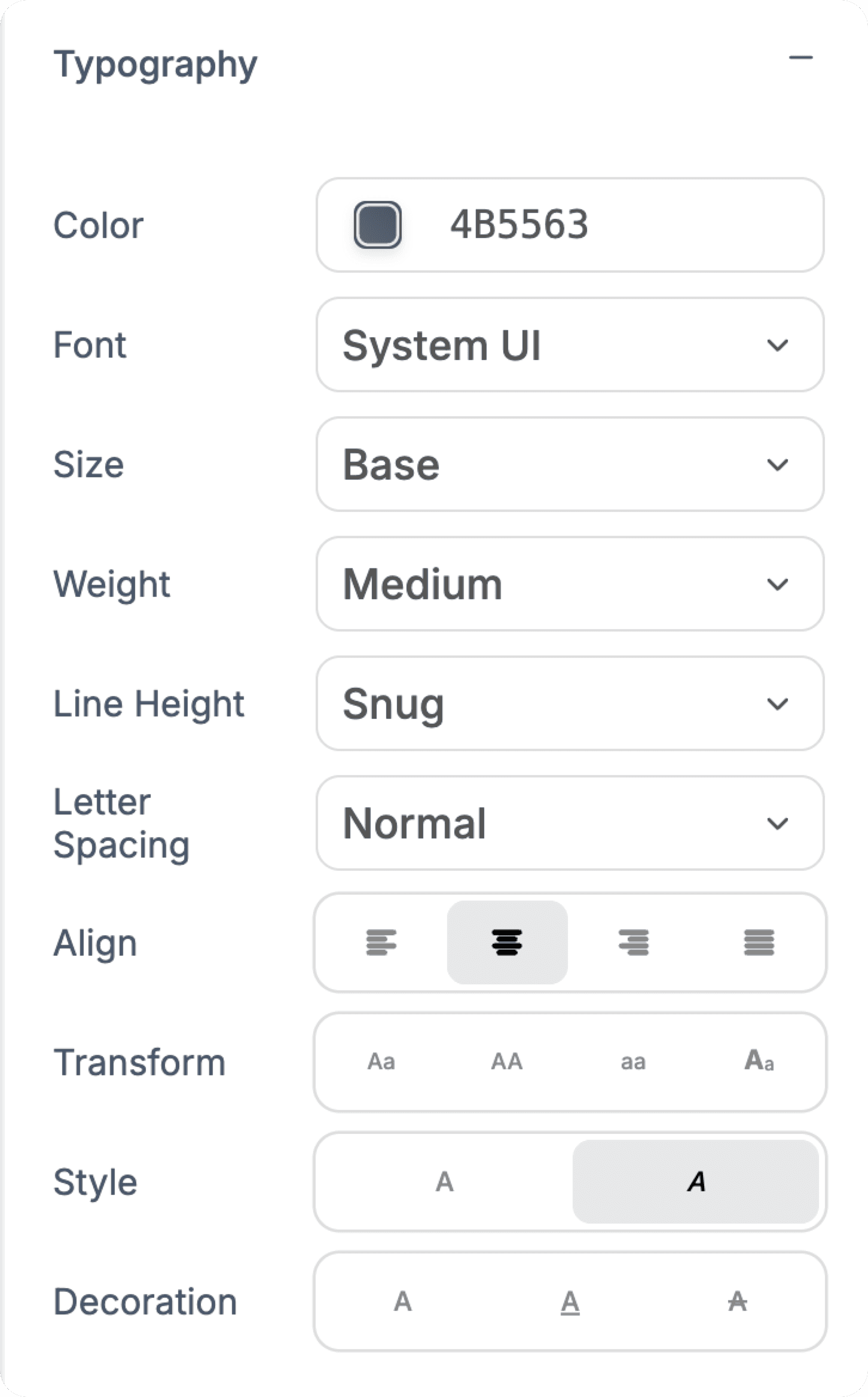
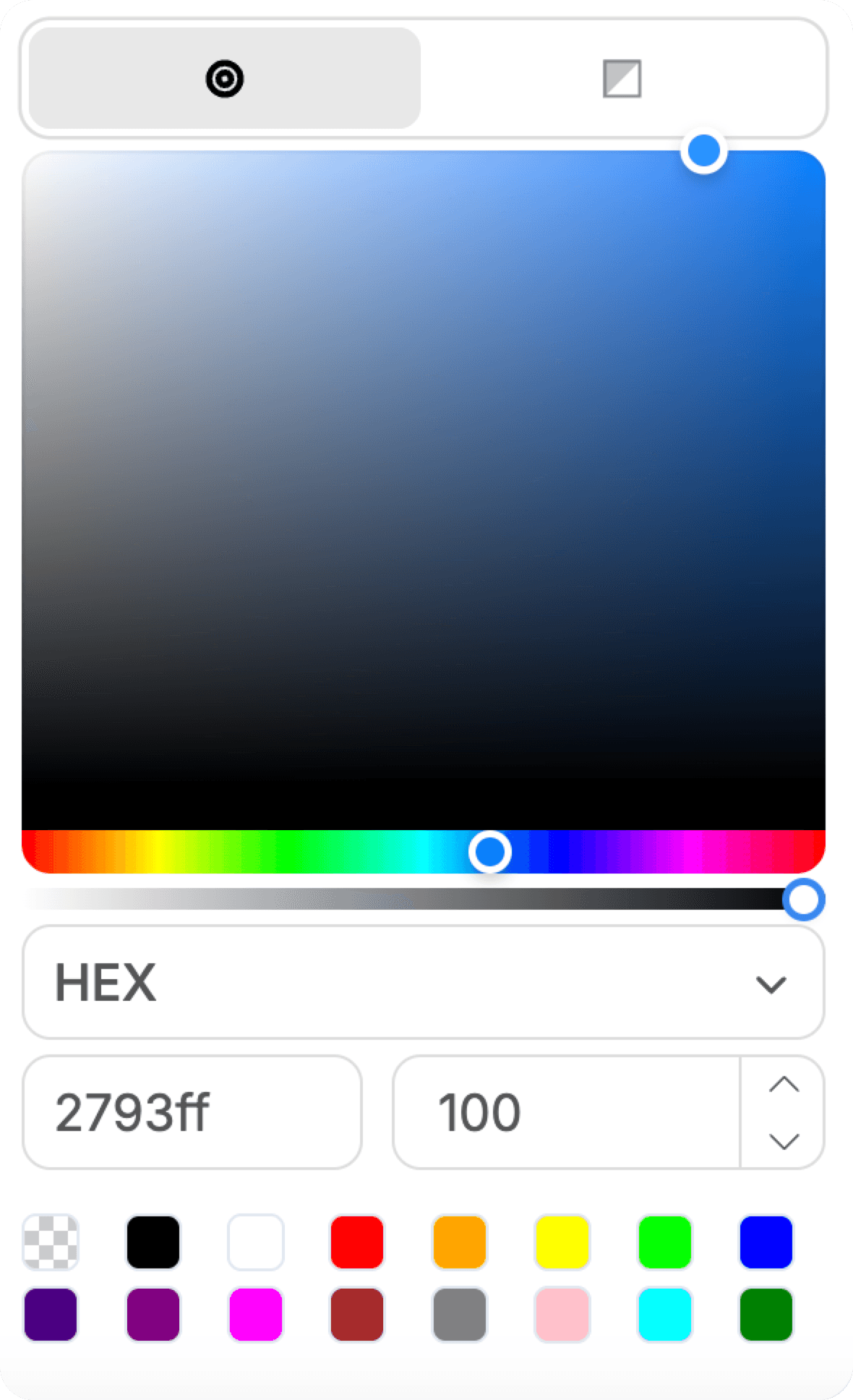
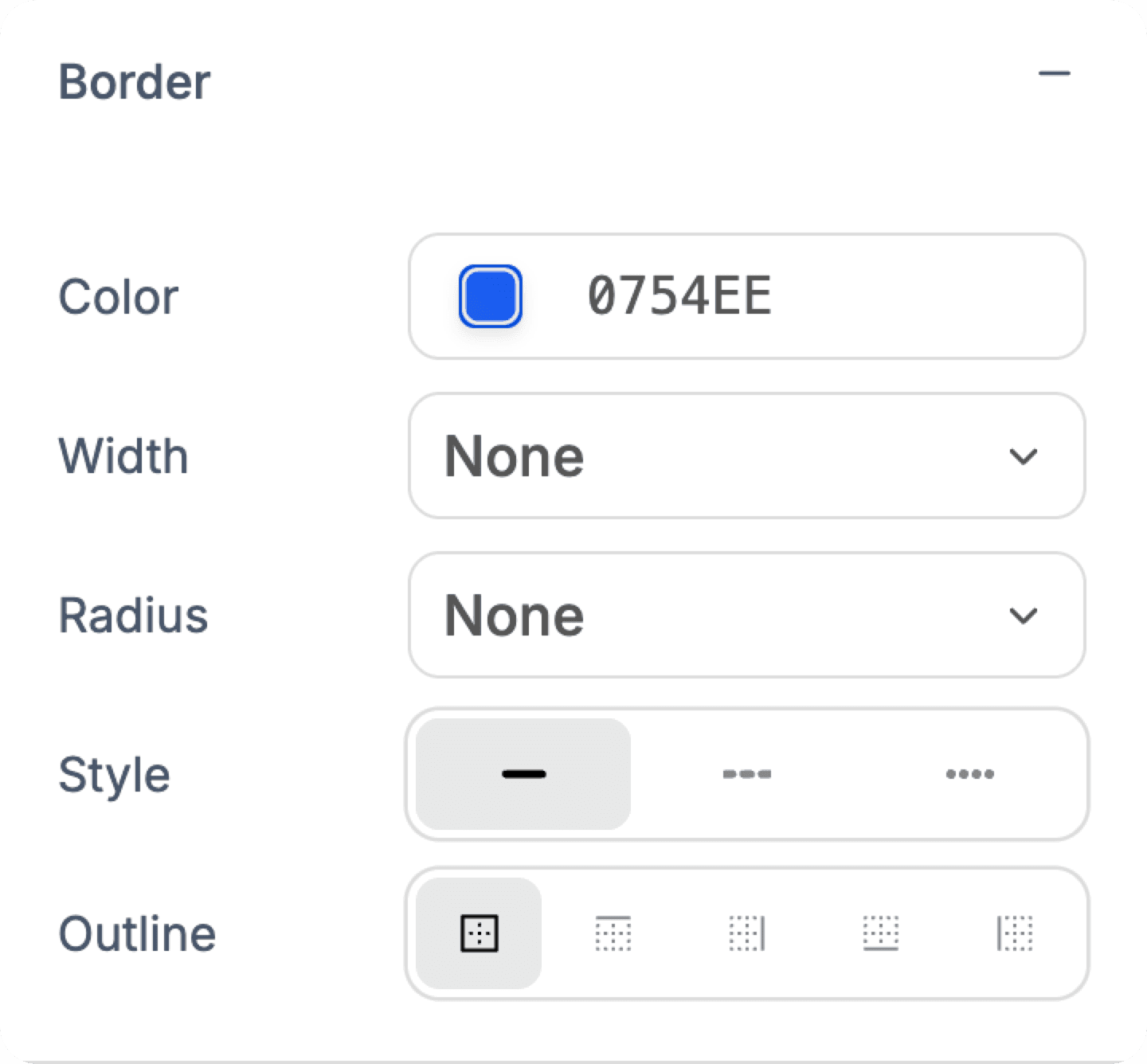
Pixel-perfect control over every detail

Fine-tune typography, colors, spacing, and layouts with precision. See changes instantly as you design.

Typography controls
Color picker
Layout controls
Border controls
Unsplash integration

Feature comparison

Side-by-side, no fluff. Built from the public docs and changelog of both products.

FeatureWebtwizzCursor
Generate full app from promptYesYes (with project setup)
Visual drag-and-drop editorYesNo
Hosted preview / one-click publishYesNo (run locally)
Custom domain + SSLYesYou handle hosting
Pre-built integrationsSupabase, Stripe, Resend, etc.You wire them up
Runs in browserYesDesktop app
Codebase-wide AI searchYes (RAG over your project)Yes - best in class
Multi-file agent modeYesYes - excellent
Works on any codebaseWebtwizz projects onlyAny local repo
Best forShipping a web app fastWriting serious software

Which one should you actually use?

Pick Webtwizz if…

  • You don't want to set up a dev environment

    Cursor needs Node, a terminal, a project to open, and a deploy target. Webtwizz needs a browser tab. If 'install Node' is friction, Webtwizz wins.

  • You want a visual editor on top of your AI

    Cursor is text-only. Webtwizz lets you click an element, drag a slider, and have the source file update accordingly - without touching the AI for visual tweaks.

  • You want auth, payments, email, and hosting in one place

    Cursor is a code editor. Webtwizz bundles Supabase auth, Stripe payments, Resend email, custom domains, and SSL into the platform.

  • You're a non-technical founder

    Cursor shines for developers. Webtwizz is designed for founders who can read code but don't want to live in a terminal.

Pick Cursor if…

  • You're a working developer with an existing codebase

    Cursor's codebase indexing, multi-file edits, and agent mode are unmatched for serious software work. Webtwizz isn't trying to compete here.

  • You work in a language other than JavaScript

    Cursor is language-agnostic - Python, Go, Rust, anything. Webtwizz only generates Next.js + Tailwind apps.

  • You're working on something that isn't a web app

    Mobile apps, CLI tools, ML pipelines, scripts - Cursor handles all of them. Webtwizz is web-app-only.

  • You want full editor control (extensions, settings, keybinds)

    Cursor inherits VS Code's entire ecosystem. Webtwizz's code editor is intentionally simpler - built for in-context edits, not power-user IDE workflows.

We're not pretending Webtwizz wins everything. Cursor is a real tool with real strengths - and the wrong tool for the wrong job is worse than no tool at all.

Pricing, side by side

Both start free. Past that, here's what each tier looks like.

Webtwizz

Webtwizz pricing

Free

Free

No card required

  • 120 one-time credits
  • 1 published site
  • Full builder + AI
  • Visual editor
Most popular

Standard

$25/mo

or $21/mo billed annually

  • 1,500 credits/mo
  • 5 published sites
  • Code editor access
  • Custom domain
  • Remove badge

Pro

$50/mo

Up to $100/mo for 9k credits

  • 4.5k-9k credits/mo
  • 15 published sites
  • Everything in Standard
  • Priority support

Custom

Custom

Agencies & teams

  • Custom credit limits
  • Dedicated support
  • SLA guarantee
See full pricing →
Cursor

Cursor pricing

Hobby

Free

Limited fast model

  • Limited fast requests
  • Pro features 2-week trial
  • Privacy mode
Most popular

Pro

$20/mo

Solo developers

  • 500 fast requests
  • Unlimited slow requests
  • Privacy mode
  • Models: Claude, GPT, etc.

Business

$40/seat/mo

Teams

  • Everything in Pro
  • Team admin
  • Centralized billing
  • Privacy mode enforced

Enterprise

Custom

Large orgs

  • SSO + SCIM
  • Audit logs
  • Custom contracts
  • Dedicated support

Cursor pricing is per-seat for desktop access; check cursor.com/pricing for current tiers.

Frequently asked questions

Is Webtwizz a Cursor alternative?

Only if you want to skip writing code. Cursor is for people who code; Webtwizz is for people who want a working app. They overlap on AI-assisted development but solve different problems.

Can I use Cursor on a Webtwizz project?

Yes. Webtwizz exports standard Next.js + Tailwind code. You can pull the project to your machine and open it in Cursor, then sync changes back. Many users use both.

Why would I use Webtwizz instead of just Cursor?

Three reasons: (1) you don't want to set up a dev environment, (2) you want a visual editor for design changes, (3) you want hosting, custom domain, and integrations bundled in. Cursor leaves all of that to you.

Are they really competitors?

Founders comparing tools see them in the same category - 'AI tool that helps me ship code.' Strictly speaking they're different categories: hosted builder vs desktop IDE.

Can I use both?

Webtwizz already includes a Monaco-based code editor with AI assistance, so most teams stay inside it. If you want Cursor's deep agent mode on a Webtwizz project, you'd need it living in your own repo, which isn't supported today.

Try the alternative to Cursor

Edit AI-generated code visually, plug in databases and payments, ship to a real domain.

120 free credits · No credit card required