Webtwizz+Anthropic

Anthropic Integration

Claude + Webtwizz

Paste your Anthropic API key once. Webtwizz validates it against the Anthropic API and writes ANTHROPIC_API_KEY (and an optional default model) into your project's environment variables.

One-click connectEnv vars auto-setEncrypted credentials
Anthropic integration card

01 / The integration

What the Anthropic integration does.

The Anthropic integration is a paste-your-key flow. Webtwizz validates the key against api.anthropic.com, encrypts it, and writes ANTHROPIC_API_KEY to your project. If you set a default model, ANTHROPIC_MODEL is written too. From there, any code the AI generates that calls Claude will pick up the key automatically. Webtwizz never proxies your traffic and never marks up calls.

02 / What you can build

The patterns this unlocks.

The flows Webtwizz scaffolds correctly the first time, so you don't spend three days reading Anthropic docs.

01

Claude-powered features

Once the key is set, ask the AI for a Claude chat route, a code-explainer, a long-document summarizer. It writes a Next.js handler that calls Claude using ANTHROPIC_API_KEY.

02

Long-context document tools

Claude's long context window is a Claude feature, not a Webtwizz one. Ask the AI for an upload + RAG pattern and it will use the key the integration set.

03

Tool use / agents

Claude has native tool use. The integration sets the credential; the AI writes the tool definitions and dispatch loop when you describe an agentic feature.

04

Mixed Claude + GPT routing

Connect both Anthropic and OpenAI to get both keys in env vars. Ask the AI to route per feature.

03 / Setup

Connect Anthropic.

3 ordered steps. Open Integrations, click Connect, paste the key. The plumbing scaffolds itself.

STEP 01

Get an Anthropic API key

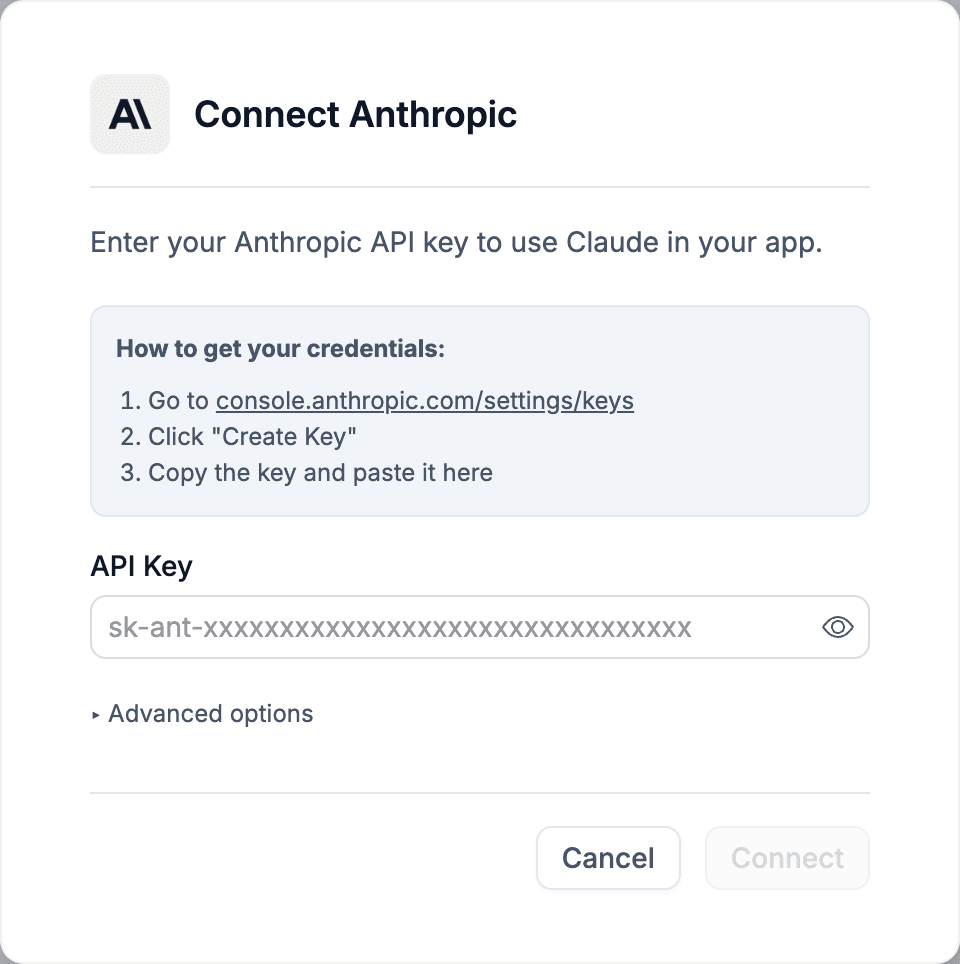
Sign in at console.anthropic.com/settings/keys and create a key. Copy it.

Get an Anthropic API key

STEP 02

Paste it into the Anthropic integration

Inside Webtwizz, open Integrations and click Connect on the Anthropic card. Paste the key. Webtwizz makes a HEAD request to api.anthropic.com to confirm it's valid before saving.

Paste it into the Anthropic integration

STEP 03

Optional: pick a default model

In Advanced options, choose a default Claude model (Sonnet 4.6, Opus 4.6, Haiku 4.5). This becomes ANTHROPIC_MODEL in env vars. The AI can still call other models per request.

Optional: pick a default model

04 / Environment

Set automatically.

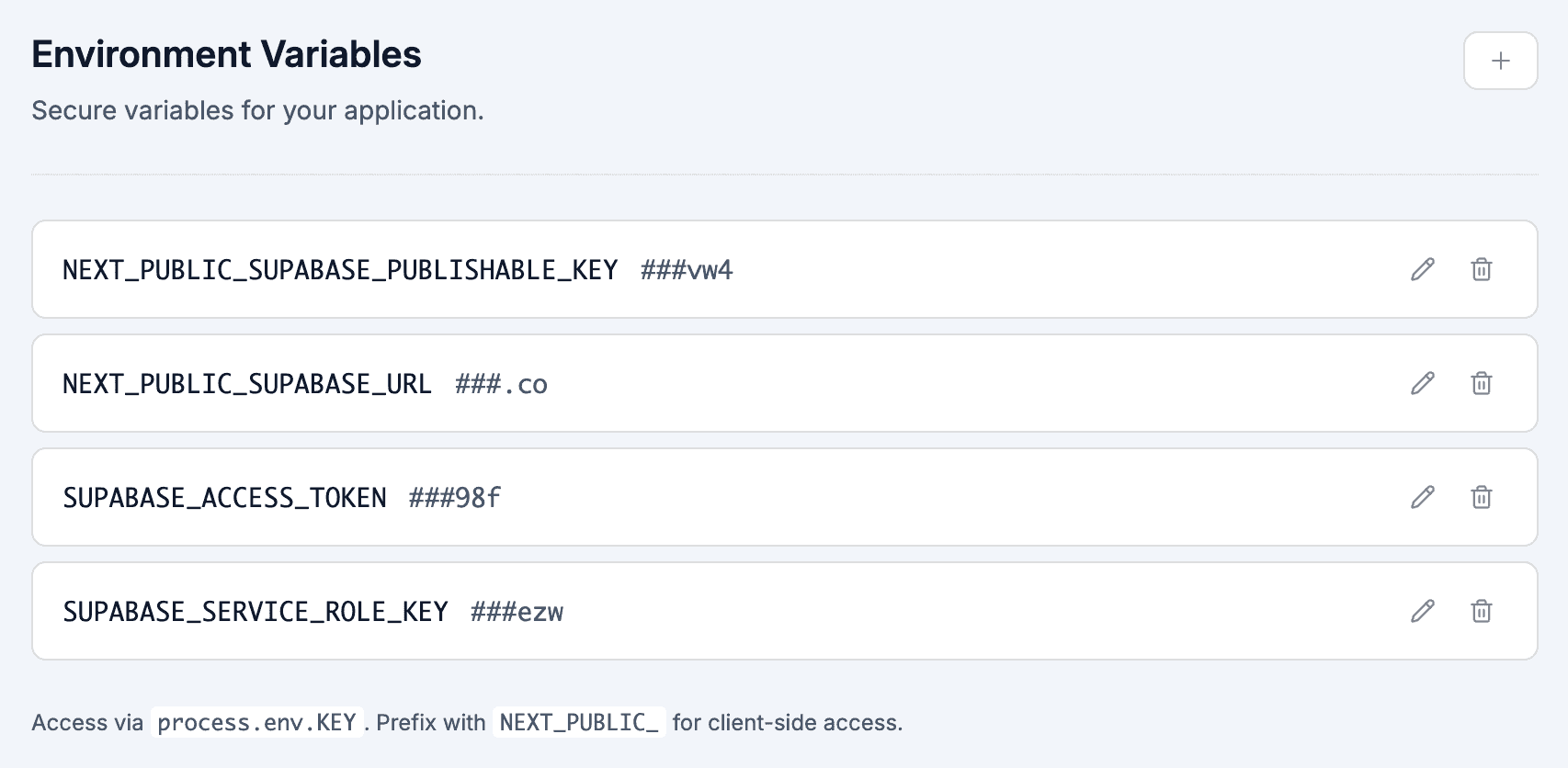
These show up in your project's environment variables panel the moment you connect Anthropic. No copy-paste, no .env files.

.env

ANTHROPIC_API_KEY

Server-only. Used by any AI-generated code that calls Claude.

ANTHROPIC_MODEL

Optional default Claude model, set if you pick one in Advanced options. Defaults to claude-sonnet-4-6 if omitted.

05 / Questions

The honest answers.

What founders actually ask before they wire up Anthropic.

Does Webtwizz proxy or mark up Anthropic calls?

No. You bring your own API key, and any code the AI writes calls Anthropic directly from your project. Webtwizz never sits in the middle.

Is streaming or prompt caching turned on automatically?

No. The integration only sets the credential. Streaming, prompt caching, and tool use are Anthropic API features that the AI can wire into your code when you ask for them, but the integration itself does not configure them.

How is the key validated?

When you paste the key, Webtwizz makes a HEAD request to https://api.anthropic.com/v1/messages with the x-api-key header. If the call is accepted, the key is saved. If it fails, the modal shows an error and nothing is stored.

Why pick Claude over GPT?

Model preference, mostly. Claude tends to be stronger on long context and code; GPT has cheaper tiers and image generation. You can connect both and route per feature.

What happens if I disconnect?

Webtwizz removes ANTHROPIC_API_KEY (and ANTHROPIC_MODEL if set) from env vars. Anything in your project that calls Claude will start failing until you reconnect.

Plug in Anthropic and ship

Webtwizz is the AI app builder that lets you edit AI-generated code visually, and ship full-stack apps with auth, databases, and payments.

120 free credits · No credit card required