A no-code app is a working web app built with visual tools and AI prompts instead of hand-written code, and it can ship with data, authentication, and payments if the builder supports those capabilities. In 2026, the global no-code development platforms market is estimated at about $45.24 billion, up from $35.61 billion in 2025, according to The Business Research Company's market estimate.
You may be in the familiar founder position: you have a clear app idea, perhaps a customer portal, marketplace, booking workflow, or internal dashboard, but hiring a developer feels too expensive or too slow. You open an AI builder, describe the product, and get something clickable. The difficult question comes next: can this become the app customers use, or is it only a polished demo?
That distinction matters. A no-code app can help you test an MVP, collect persistent data, manage users, connect payments, and launch a web address without starting with a traditional engineering team. It can also become difficult to maintain when your workflows, permissions, integrations, and traffic grow.
The practical path is to define the smallest useful product, choose a builder based on its production capabilities, test the important user journeys, and understand what happens to your code and data if you leave. If you're deciding between an MVP and a larger product, this MVP versus full product guide can help you keep the first release focused. For apps that need to collect answers from different audiences or languages, a tool for multilingual survey delivery can also fit into the research and validation stage.
Introduction to No Code Apps for Founders Who Want to Ship
A no-code app isn't a landing page with buttons. It's software assembled through visual controls, prebuilt components, connected services, and increasingly, natural-language instructions. You define what a user should be able to do, what information the app should store, and what should happen after each action. The platform translates those requirements into screens, workflows, and a running application.
That makes no-code relevant to several real shipping situations:
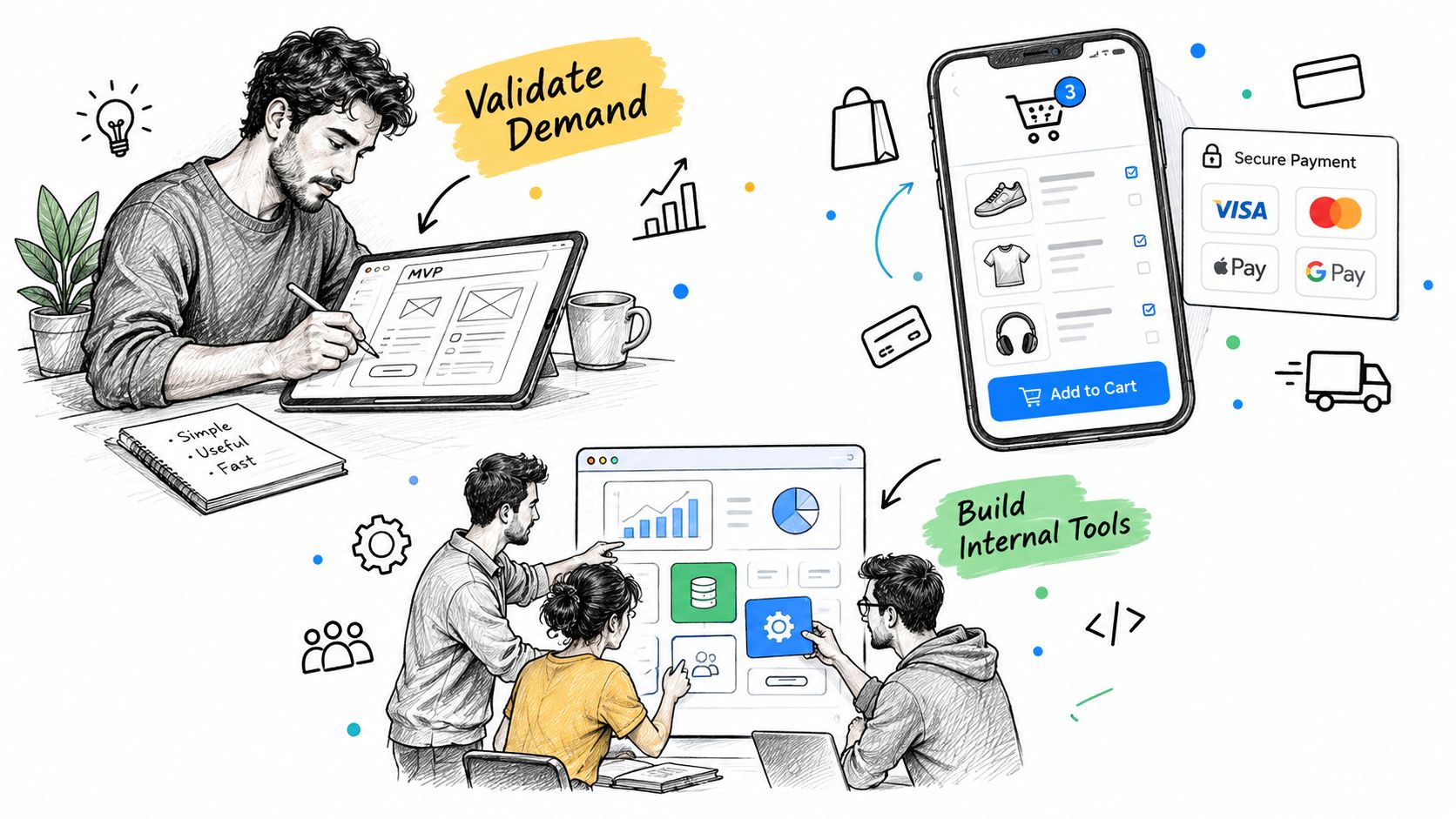
- An MVP: Let early users register, complete a workflow, and give feedback before you commit to a larger build.
- An internal tool: Give a small team one place to submit requests, review records, and track progress.
- A customer-facing product: Provide accounts, saved information, payments, or a repeatable service workflow through a browser.
The category has moved beyond its early reputation as a niche builder option. A separate 2026 industry forecast places the broader low-code development technologies market at about $44.5 billion, with annual growth of around 19%, while another forecast projects that low-code tools could support 75% of new application development by 2026. These are projections, not guarantees for any individual product, but they show why founders now evaluate no-code as a route to real software rather than only a prototyping shortcut. The figures are summarized in no-code automation statistics.
The right question isn't “Can I avoid code forever?” Ask instead: Can I launch the first version, learn from real usage, and retain a sensible path forward? This guide answers that question by separating the idea from the workflow, then examining use cases, limits, ownership, and the decision to move beyond no-code.
What a No Code App Really Is and How It Works
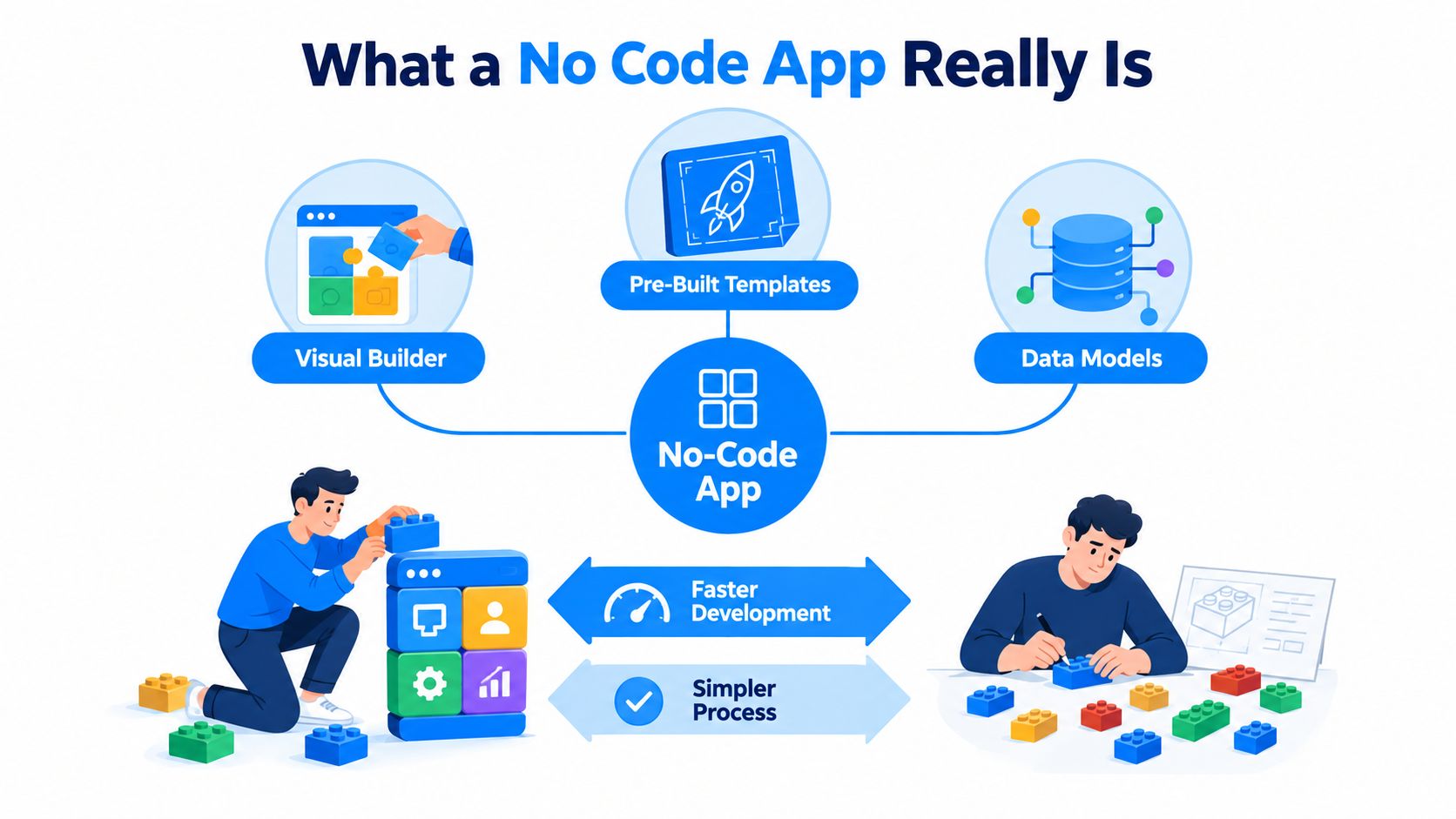
Think of traditional development as making every component from raw materials. A developer chooses the framework, writes the interface, designs the database structure, creates authentication logic, connects external services, tests failure states, and prepares deployment. A no-code builder gives you assembled parts and a visual way to connect them.
You might start with a template for a marketplace or client portal. Then you define a data model, such as users, listings, orders, and messages. You connect a form to a record, connect a payment action to an order, and tell the app which screen a user should see next. AI builders add another layer: you can describe those relationships in plain language and let the platform create an initial version.
The building blocks
A useful no-code app usually combines four parts:
- Interface: Pages, forms, navigation, tables, buttons, and account screens that users interact with.
- Data: Collections or database tables that store profiles, submissions, transactions, inventory, or other records.
- Logic: Rules that decide what happens when someone signs up, submits information, pays, edits a record, or lacks permission.
- Integrations: Services for payments, email, file storage, analytics, or other functions the builder doesn't provide directly.
A simple website mostly presents information. A no-code app responds to users, stores state, enforces access, and changes based on events. That difference is why modern platforms can support more than brochure pages, although each platform's database, authentication, payment, and export features vary.
The phrase no-code describes how you build, not a promise that the underlying software contains no code. The platform still runs code somewhere. You work through declarations, settings, prompts, and visual workflows instead of writing the implementation manually.
How No Code Apps Get Built and Launched Without Code
Start with a short product brief. Don't ask an AI builder to “make the next big platform.” State who uses the app, the problem they have, the main action they need to complete, the records the app must store, and the conditions that change the outcome.
For example: “A customer portal where a client creates an account, uploads a request, sees its status, and receives an update when the team changes that status.” That description gives the builder a starting point for screens, users, records, and events. You can refine it after seeing the first version.
A practical launch sequence
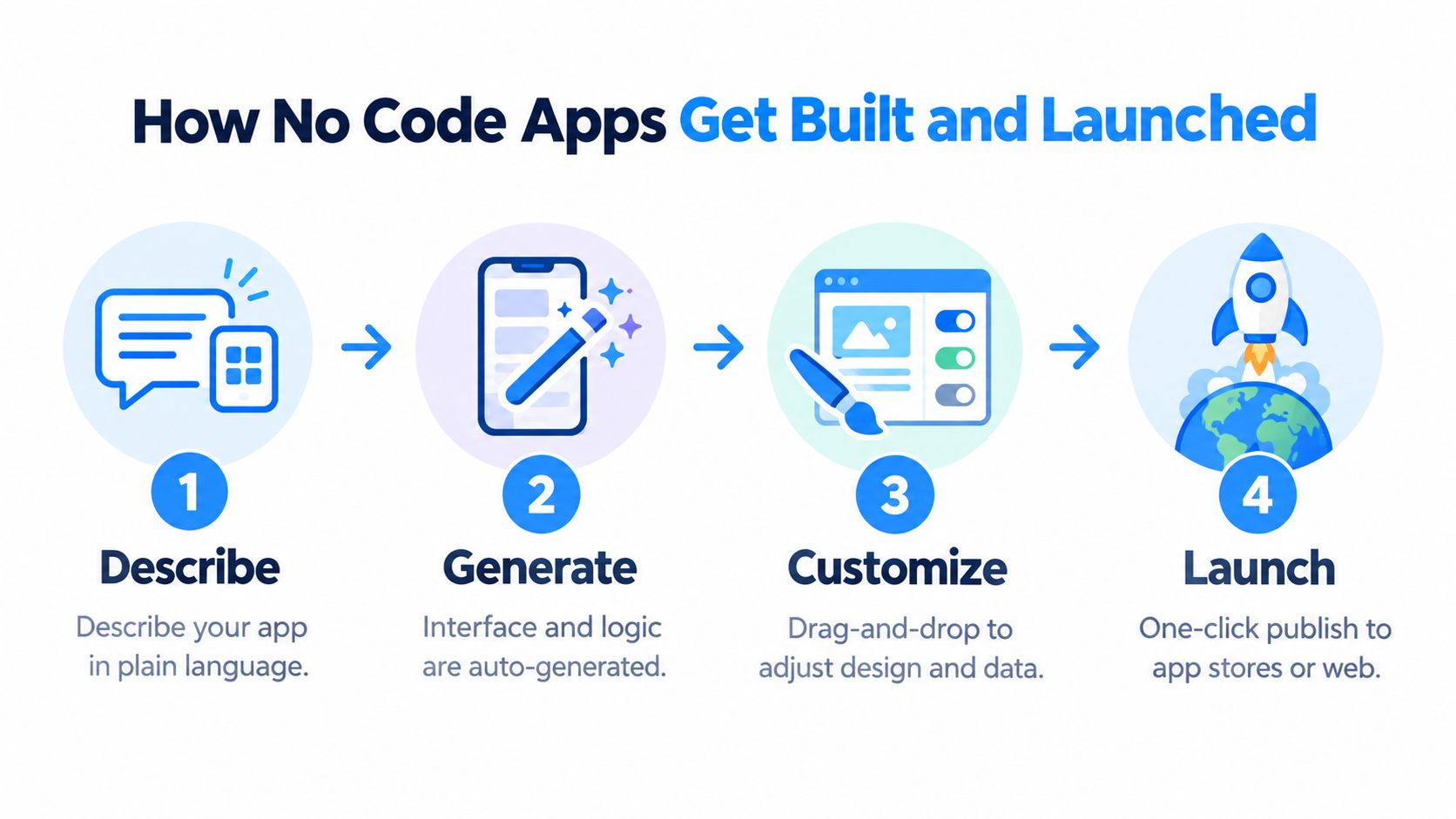
- Describe the workflow. Write the user journey in plain language, including the successful path and important exceptions.
- Generate the first build. Let the AI create the initial pages, data structures, and interaction logic.
- Connect the essentials. Configure authentication, persistent storage, payments, notifications, and permissions where the product needs them.
- Test as a user. Create accounts, submit real-looking records, refresh pages, use invalid inputs, and test what different users can see.
- Publish the app. Connect the deployment workflow and put the product on a real domain. A documented deployment pattern involves pointing a hosting platform at exported code so the generated app can build and serve publicly, rather than remaining a mockup, as described in moving an MVP from prototype to production.
Webtwizz fits this workflow as an AI app builder for founders who describe an app in plain language, generate a working full-stack product, and continue refining it through conversation and visual editing. If you want a broader walkthrough of how to build an app without code, focus on the same production sequence, not just the first generated screen. You can also read how to build an app with AI for a prompt-led approach to the initial build.
A live URL isn't proof that the app is ready. Confirm that data persists, unauthorized users stay blocked, payments produce the correct records, and a failed integration doesn't leave the user stuck.
Benefits and Limitations You Should Weigh Before You Build
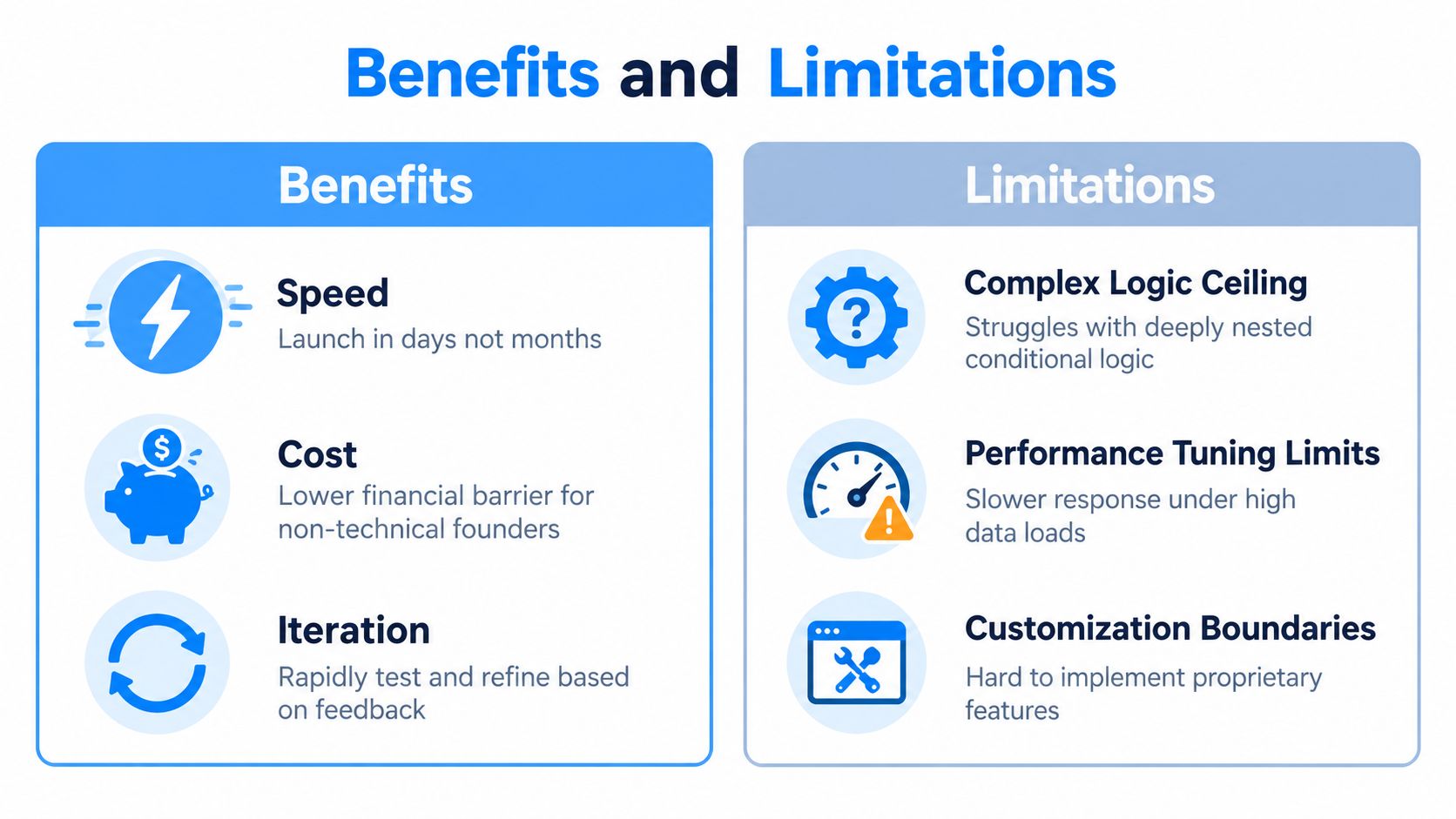
No-code changes the economics of the first build for a non-technical founder. You can move from a written idea to an interactive workflow without waiting for a developer to interpret every screen and rule. That makes it easier to test assumptions early, change the product after user feedback, and avoid paying for features nobody needs.
The limitation is that visual speed doesn't remove technical complexity. It can hide it. A workflow with a few straightforward states may remain manageable. A workflow with nested conditions, exceptions, role-specific permissions, and tightly connected processes can become harder to inspect and debug because the platform abstracts backend decisions such as database indexing, caching strategy, and query tuning. This limitation is described in the capabilities and limitations of no-code.
Where no-code helps
- Faster validation: You can put a usable flow in front of potential users before building every possible feature.
- Lower entry barrier: A founder can control product decisions without first learning a programming language.
- Shorter feedback loops: You can revise a form, workflow, or data field as you learn what users need.
- Useful integrations: Connectors can provide functions that would otherwise require separate implementation work.
Where the ceiling appears
- Complex logic: Multi-step conditional workflows and exception handling become fragile as dependencies accumulate.
- Performance control: You may not have direct control over queries, indexes, caching, or backend execution when the app grows.
- Security and governance: Misconfigured connectors, broad permissions, hardcoded API keys, and weak input validation can expose sensitive data. Independent research cited in this study of low-code and no-code adoption barriers reports that 37% of organizations worry about vendor lock-in, 28% about scalability, and 25% about security.
- Maintainability: A platform upgrade or a growing rule set can force a plan change, a higher tier, or a rewrite.
Before committing, inspect source code ownership. A fast first release is valuable only if you know whether you'll be able to maintain, export, or replace it later.
Common Use Cases Where No Code Apps Shine
A founder testing a new service might need a small customer portal rather than a complete operating system. The first release could include account creation, a request form, a status page, and an admin view. That is enough to observe whether users complete the workflow and whether the service team can fulfill requests. The app earns its next feature through evidence from actual use.
MVPs with a narrow job
No-code works well when the MVP has one central outcome. A directory can let people browse entries and submit a listing. A booking app can collect availability, save a reservation, and show confirmation. A membership product can restrict content or actions to authenticated users. The point isn't to imitate a mature competitor. It's to make the core promise testable.
Customer-facing commerce and marketplaces
An e-commerce app needs more than product cards. It needs inventory or item records, a cart or order flow, payment handling, and a way for the owner to see what happened. A marketplace adds sellers, listings, buyer actions, and permission boundaries. No-code can be a reasonable starting point when those relationships are clear and the expected workflow doesn't depend on unusual algorithms.
Internal tools that replace scattered work
An operations team may be copying requests between email, spreadsheets, and chat. A no-code internal app can give them a shared intake form, a queue, statuses, ownership fields, and an audit-friendly record of changes. Because the users are known and the workflow is bounded, the founder can test the tool with the team and adjust it quickly.
Shipping test: If you can describe the first user's complete journey in a few concrete steps, no-code is more likely to fit. If every journey branches into different rules, integrations, and exceptions, plan for specialist help sooner.
A visual explanation can help you see the difference between an idea and a shippable workflow:
No Code vs Low Code vs Traditional Development Compared
The three approaches differ mainly in control, speed, and responsibility. No-code keeps implementation behind visual settings and prompts. Low-code provides abstractions but leaves room for custom code. Traditional development gives the team direct control over the application stack, while requiring more technical skill and more decisions from the beginning.
| Criteria | No Code | Low Code | Traditional Code |
|---|---|---|---|
| Initial speed | Fast for defined workflows and common features | Fast to moderate, depending on custom work | Usually slower at the start |
| Customization | Bound by platform components and supported integrations | Broader, with custom code or services | Broadest control |
| Scalability | Depends heavily on platform architecture and plan | Depends on platform plus custom implementation | Team controls the architecture and infrastructure |
| Code ownership | May be exportable or may remain inside the vendor runtime | Varies by platform and deployment model | Source code is normally controlled by the team |
| Best fit | MVPs, internal tools, standard customer workflows | Products needing platform speed plus specialized behavior | Complex, differentiated, or highly controlled systems |
| Team requirement | Founder or product operator can start alone | Product owner plus technical support is often useful | Developers and technical ownership are required |
Choosing Between No Code Low Code and Traditional Development
Choose no-code when your immediate goal is to launch a focused product, validate demand, or streamline a bounded process. Choose low-code when you want the platform's acceleration but already know you'll need custom behavior. Choose traditional development when your product depends on proprietary algorithms, unusual infrastructure, strict control, or complex performance requirements from the beginning.
Ownership deserves a separate check. Some builders export clean, standard source code that you can host elsewhere. Others keep the application inside their own runtime. Practical guidance on no-code code ownership explains the difference: owning the data and design isn't the same as owning deployable code.
A sensible founder decision is therefore staged. Build the narrowest useful version with the least expensive approach that can support the workflow, but confirm the exit path before you invest heavily in platform-specific behavior.
Build Your No Code App Today With Webtwizz
Start with one workflow, not a feature catalogue. Write a short brief containing the target user, the problem, the pages they need, the records the app stores, the actions they can take, and the rule that determines success. Then ask the builder to generate that first version.
Webtwizz can turn a plain-language description into a working web app with pages, features, styling, data, and conversational iteration. Its visual editing workflow lets you refine the result without writing the initial code. For founders comparing Lovable, Bolt, Base44, v0, and Replit, the important comparison isn't only how attractive the first generated screen looks. Check credit limits, deployment, exportability, authentication, data persistence, and what you can do when the product changes.
Credits can affect your ability to keep iterating. For example, Builder.io lists a free plan with 15 agent credits per day, capped at 60 per month, while paid code plans include 500 agent credits per user per month and allow additional blocks of 500 monthly AI credits for $25. Those published plan details illustrate why predictable usage matters when you're trying to ship rather than merely experiment, as shown on the Builder.io pricing page.
The first concrete move is to define one complete user journey and build it end to end. Don't add dashboards, integrations, or advanced roles until the core action works with real test data.
Visit Webtwizz, describe the working web app you want to launch, and generate its first complete workflow today. Test sign-up, data persistence, permissions, and the main user action before adding more features, so you finish with a product you can evaluate rather than another disconnected prototype.
Last updated: September 16, 2026