Your team is probably running sales out of a spreadsheet, an inbox, and somebody's memory. Leads come in from a form, deals live in a shared sheet, follow-ups sit in Gmail, and nobody knows which version is right. That's the moment people start searching for how to build CRM system and immediately get buried in giant feature lists written for companies with IT teams.
That's the wrong starting point.
A CRM is a workflow container. The software matters, but only after you know exactly what work it needs to hold. I've seen simple CRMs shipped fast and used daily. I've also watched bloated internal builds die because the team built screens before they defined habits. If you want a working web app and you don't want to hire a developer, build the smallest CRM that supports the actual jobs your team does every day, then ship it fast enough that people can test it this week.
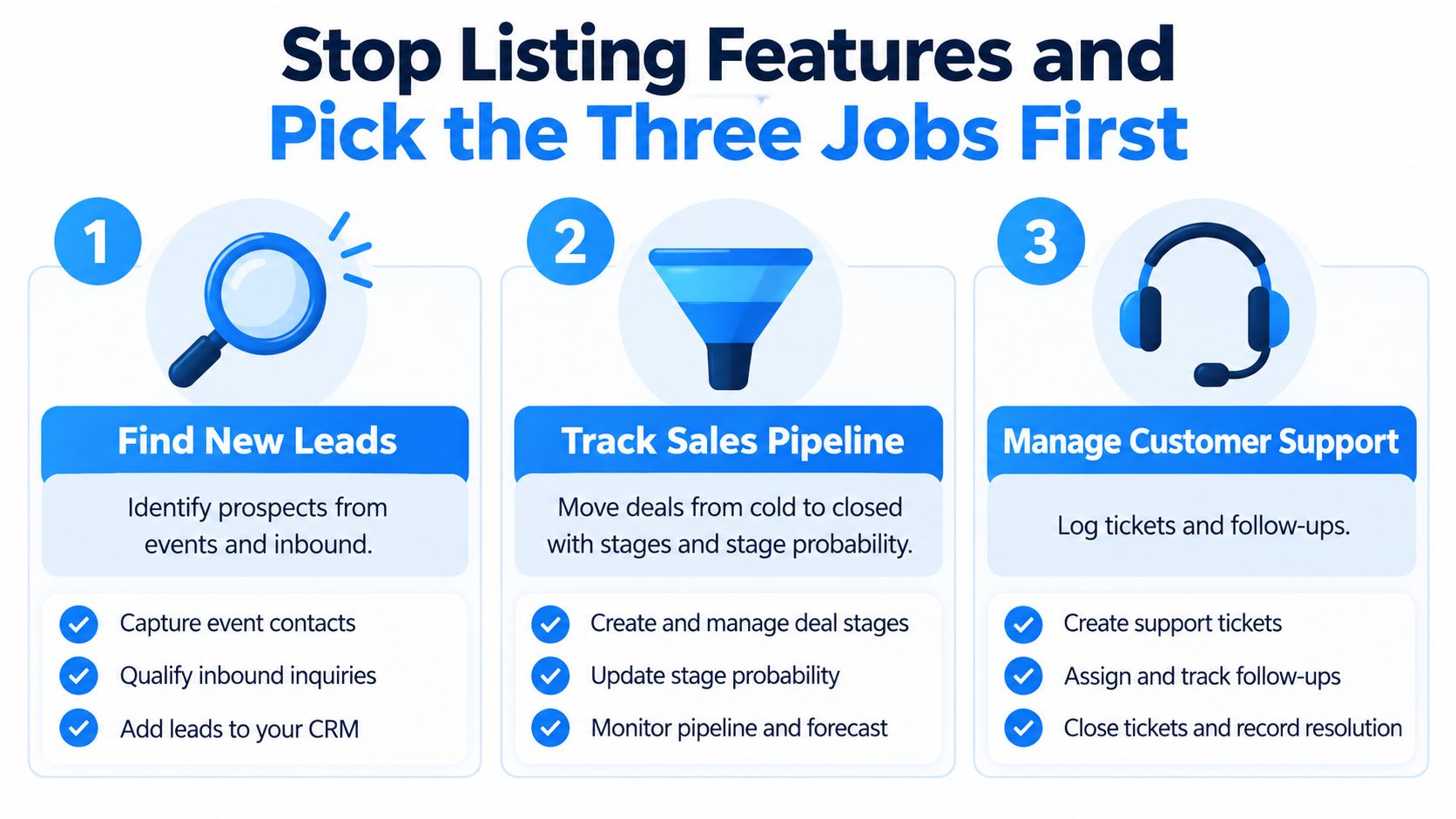
Stop Listing Features and Pick the Three Jobs First
Most CRM projects fail before anyone writes code. The failure starts with a wishlist.
The category itself pushes you there. CRM has evolved from paper customer files in the 1950s to database marketing in the 1980s, sales force automation in the 1990s, and cloud and AI platforms in the 2000s through the 2020s, while the global CRM market grew from US$63.91 billion in 2022 to a projected US$145.79 billion by 2029, implying 12.5% CAGR according to this CRM history and market review. That scale is exactly why founders get baited into overbuilding. You see the market, then you try to recreate an industry instead of solving today's mess.
What belongs in version one? Three to five daily jobs for one named user.
Pick one user, not the whole company
Start with one role. Usually that's a sales rep.
Ask what that rep must finish before lunch. Not what your future company might need. Not what Salesforce demoed. Just what one rep does every day. Usually it looks something like this:
- Capture a lead: A form submission or manual entry creates a person record with owner and source.
- Advance a deal: The rep moves an open opportunity from one stage to the next.
- Log activity: Calls, emails, and meetings get attached to the right record.
- Follow up: The system tells the rep what needs attention today.
That's enough for a real first release.
Practical rule: If a feature doesn't help one named user complete a daily job faster this week, cut it from version one.
Write the jobs in plain English
Don't write “lead management module.” Write: “When a website lead comes in, create a contact, assign an owner, and show it in the rep's queue.” That language matters because AI app builders respond much better to workflows than to software jargon.
A good job definition includes:
- Who does it
- What starts it
- What gets updated
- What counts as done
Example:
- User: Sales rep
- Trigger: New inbound lead
- Action: Create contact, link company if domain matches, create follow-up task
- Done when: The lead appears in the rep dashboard with an owner and next action
That's the answer to how to build a CRM system. Define the work first. The screens come after.
Model Contacts, Companies, Deals, and Activities
Teams skip data modeling because it feels boring. Then they spend months cleaning up garbage records and arguing about why the dashboard lies. If you want a CRM that works, model the data before you describe the interface.
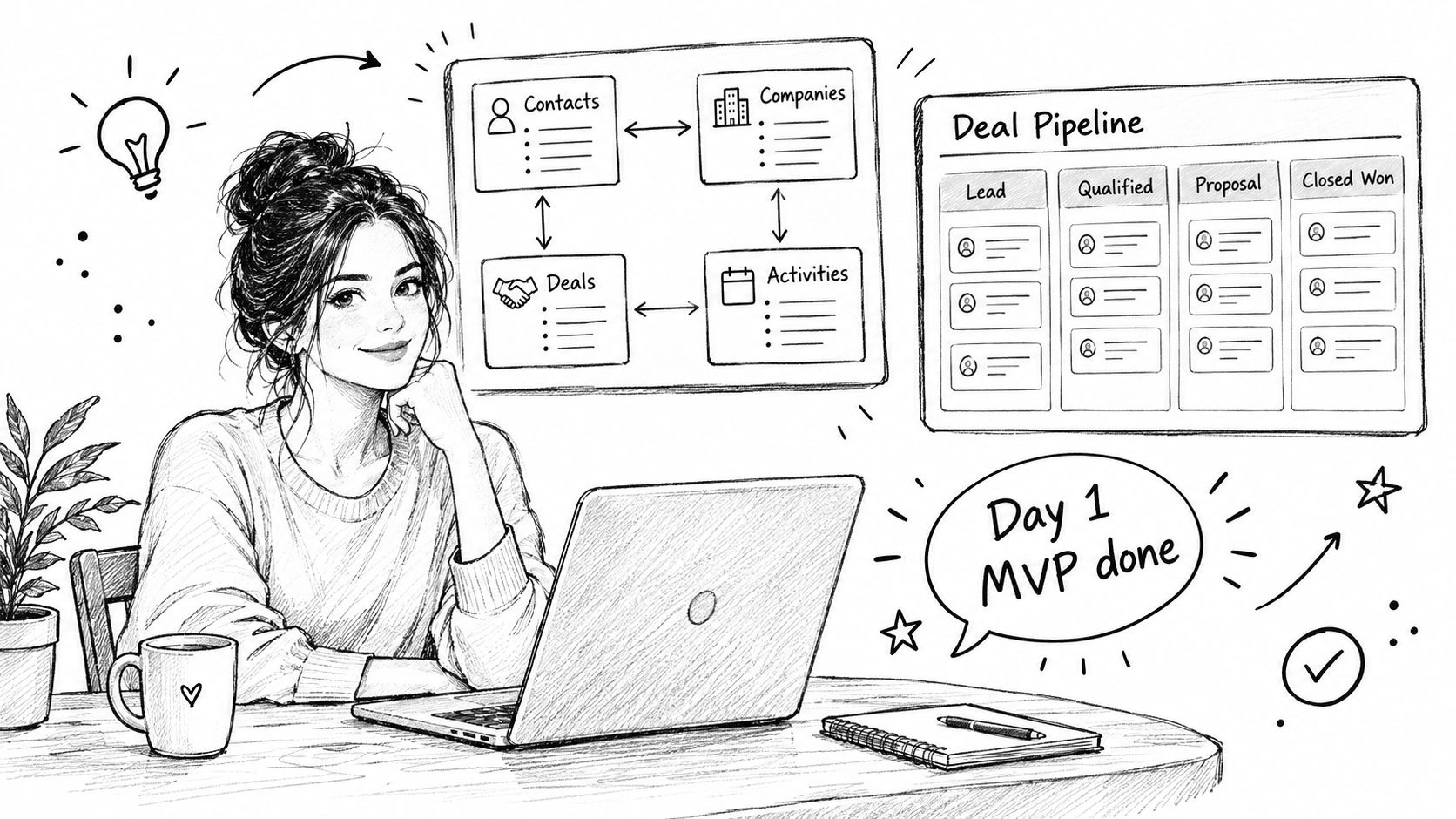
A minimum CRM needs four entities: Contacts, Companies, Deals, and Activities. That's enough to run sales without pretending you're rebuilding an enterprise suite.
Keep the schema tight
Here's the minimum CRM data model:
| Entity | Required Fields | Optional Fields | Relations |
|---|---|---|---|
| Contacts | name, email, owner, source | phone, job title | belongs to Company, linked to Deals, linked to Activities |
| Companies | name, domain | segment, industry | has many Contacts, has many Deals, linked to Activities |
| Deals | name, amount, stage, close date, owner | notes, priority | belongs to Company, linked to Contacts, linked to Activities |
| Activities | type, subject, due date, status | outcome, notes | linked to Contact, Company, or Deal |
If relationship design feels fuzzy, read this guide to database relationships. It's the part most non-technical founders skip, and it's the part that decides whether your CRM stays clean.
Decide fields like an operator
Don't ask “what could we track?” Ask “what must be filled for the workflow to continue?”
Use this checklist for every field:
- Field name
- Type such as text, number, date, dropdown, relation
- Required or optional
- Editable by whom
- Used in any automation or filter
For example:
- Contact email: text, required, editable by rep and manager, used for dedupe
- Deal stage: dropdown, required, editable by rep and manager, used for pipeline automations
- Activity due date: date, required for tasks, editable by owner
Put hard limits on version one
A CRM bloats when every stakeholder adds “just one more field.” Stop that.
Keep the initial model under 60 fields total across all entities. If you're drifting past that, you're not building a lean CRM anymore. You're recreating a vendor product you'll never finish.
Set deal stages as a fixed ordered list. Don't let every rep invent their own. Your builder prompt should specify the exact stage names in order, because automations need stable values.
The data model is the app. The UI is just a view of the model.
One more blunt rule. Don't add custom objects on day one unless your workflow breaks without them. Most founders don't need territories, contracts, product catalogs, or commission tables in the first build. They need clean records, clear ownership, and one reliable pipeline.
Describe the UI, Auth, and Roles in Plain English
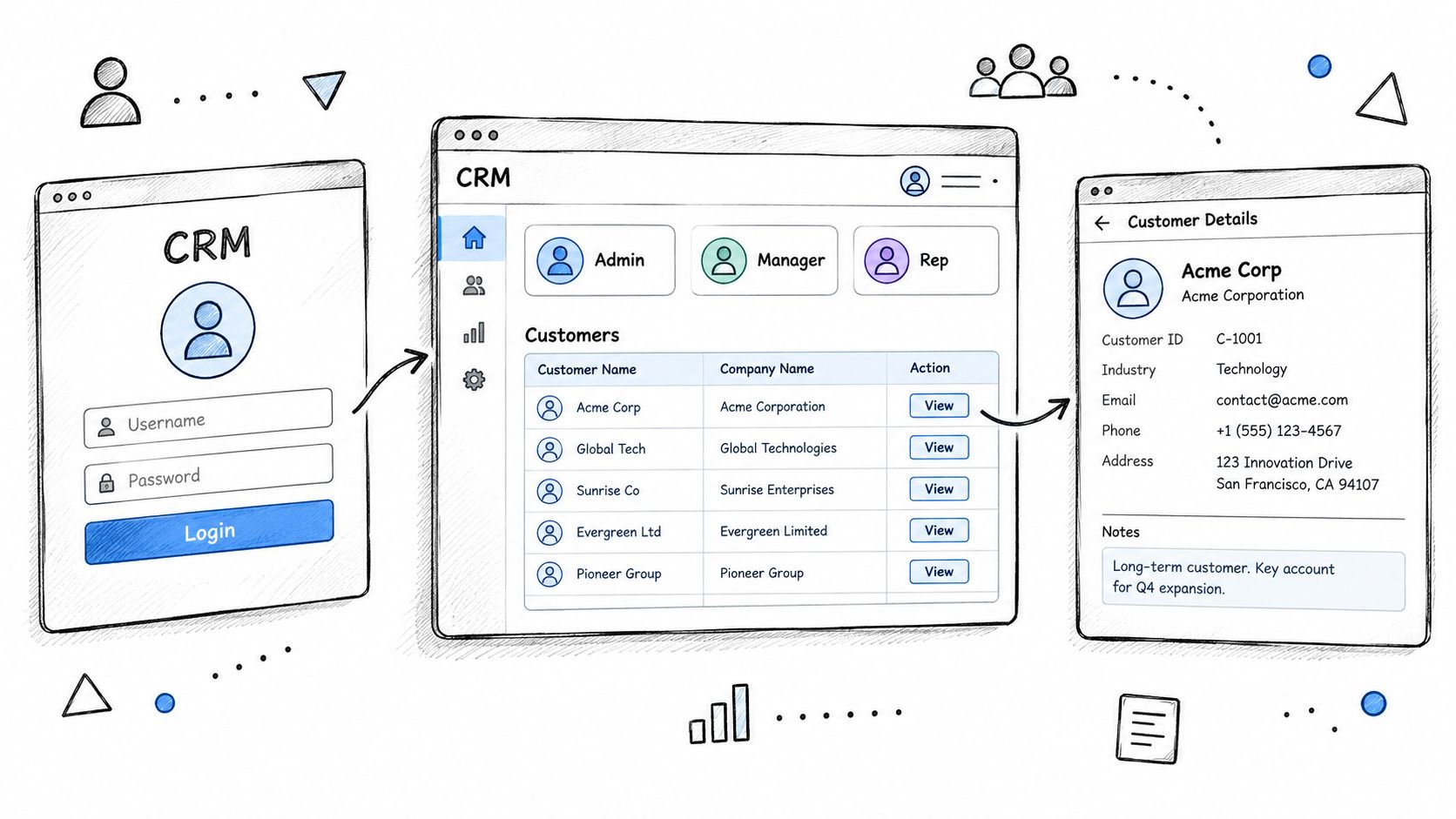
The fastest way to confuse an AI builder is to prompt with labels instead of behavior. “Make a CRM dashboard” is weak. “Build a deals page that shows a Kanban board grouped by stage, with drag and drop that updates the stage and logs an activity” is usable.
That's how you should think about screens. Describe what the page does, what the user sees first, what they can click, and what happens after the click.
Write page prompts like user stories
For each page, define four things:
- Purpose: why this page exists
- Primary action: the main thing the user should do there
- Visible data: the records or metrics shown
- Next click: where the user goes after acting
Example prompt language:
Build a Deals page with a Kanban board grouped by stage. Each card shows deal name, amount, owner, and close date. When a user drags a card to a new stage, update the stage field and create an activity log entry. Clicking a card opens the deal detail page with company, contacts, activity timeline, and next task.
That prompt will produce something useful. Generic software terms won't.
Lock roles before you build
Permissions are not cleanup work. They're foundation work. If you retrofit access control later, you'll spend your weekend untangling queries and hiding fields that should never have been exposed.
Use three roles for a minimum CRM:
- Admin gets full access, including settings, imports, exports, and user management
- Manager can view all records, edit team data, and review pipeline settings
- Rep can create and edit their own records, and gets limited visibility into team data
If you need help framing access clearly, this guide on user roles and permissions is the right mental model.
Define authentication in plain language too. Don't overcomplicate it. Say exactly this in your prompt:
- Login method: email and password
- Optional login: magic link or Google sign-in
- Session behavior: keep users signed in until logout or timeout
- Record visibility: reps only see their own contacts, deals, and tasks by default
A CRM that leaks records is not an MVP. It's a liability.
Also specify navigation. Ask for a left sidebar with Contacts, Companies, Deals, Activities, Dashboard, and Settings visible only to users who should see them. Good builders can generate role-aware navigation from the start if you bother to say it.
Automations, Integrations, and Workflow Rules
People treat automation like magic. It isn't. It's event plus condition plus action.
That framing keeps the build small and saves you from building a haunted house of duplicate alerts and circular triggers. Cloud CRM became dominant for a reason. A historical review notes that Salesforce's browser-based launch in 1999 helped push CRM into the cloud, and later estimates put cloud CRM usage at 12% of businesses in 2008 and 87% today, which is why modern systems need multi-tenant delivery, online access, and workflow automation according to this history of CRM adoption.
Five workflow rules that earn their keep
| Trigger Event | Condition | Action | Notified User |
|---|---|---|---|
| New lead captured | source is website form | create contact, assign owner, create follow-up task | assigned rep |
| Deal stage changed | new stage is proposal sent | create activity due date for follow-up | deal owner |
| Activity logged | type is call and outcome is no answer | create retry task | activity owner |
| Deal inactive | no activity for 14 days | flag as stale and alert manager | manager and owner |
| Contact unassigned | owner is blank | assign to default queue | sales manager |
Those five rules cover most early sales teams.
If you want more examples of routing and follow-up workflows, that breakdown is useful because it stays close to real sales operations rather than vague “AI productivity” language. If you want to generate those rules inside an app, a workflow-focused builder helps, and workflow builder patterns are worth understanding before you stack triggers.
Use plain English, then pseudocode
One useful rule in pseudocode:
If deal.stage changes to "Proposal Sent", create a task for the deal owner due in 3 business days with subject "Follow up on proposal".
Equivalent builder prompt:
When a deal moves into Proposal Sent, automatically create a follow-up task assigned to the deal owner. Set the due date a few business days after the stage change. Show the task on the owner dashboard and in the deal activity timeline.
That's enough for a non-technical founder to get a working automation.
Integrate only what gets used weekly
Your first integrations should be brutally practical:
- Email connector: store sent and received threaded replies on the contact or deal record
- Calendar sync: turn meetings and reminders into activities with due dates
- Export path: push pipeline data into a weekly review sheet or analytics tool
Skip the rest until the workflow is stable.
The two common mistakes are obvious once you've seen them a few times. Teams automate unstable processes, then they automate notifications on top of those unstable processes. The result is noise, not efficiency.
Testing, Data Quality, and Adoption Metrics
Most CRM failures are adoption failures wearing a software costume. The build technically works. The team just won't use it.
That's why the first sprint should focus on data rules before fancy analytics. Independent CRM data-management research found 44% of respondents believed poor CRM data quality costs their company more than 10% of annual revenue, 50% said they lose new sales because of it, and in 2024, 24% of CRM admins said less than half of their data is accurate and complete according to this CRM data management report. If your MVP skips dedupe, required fields, and ownership rules, you didn't build a CRM. You built a future cleanup project.
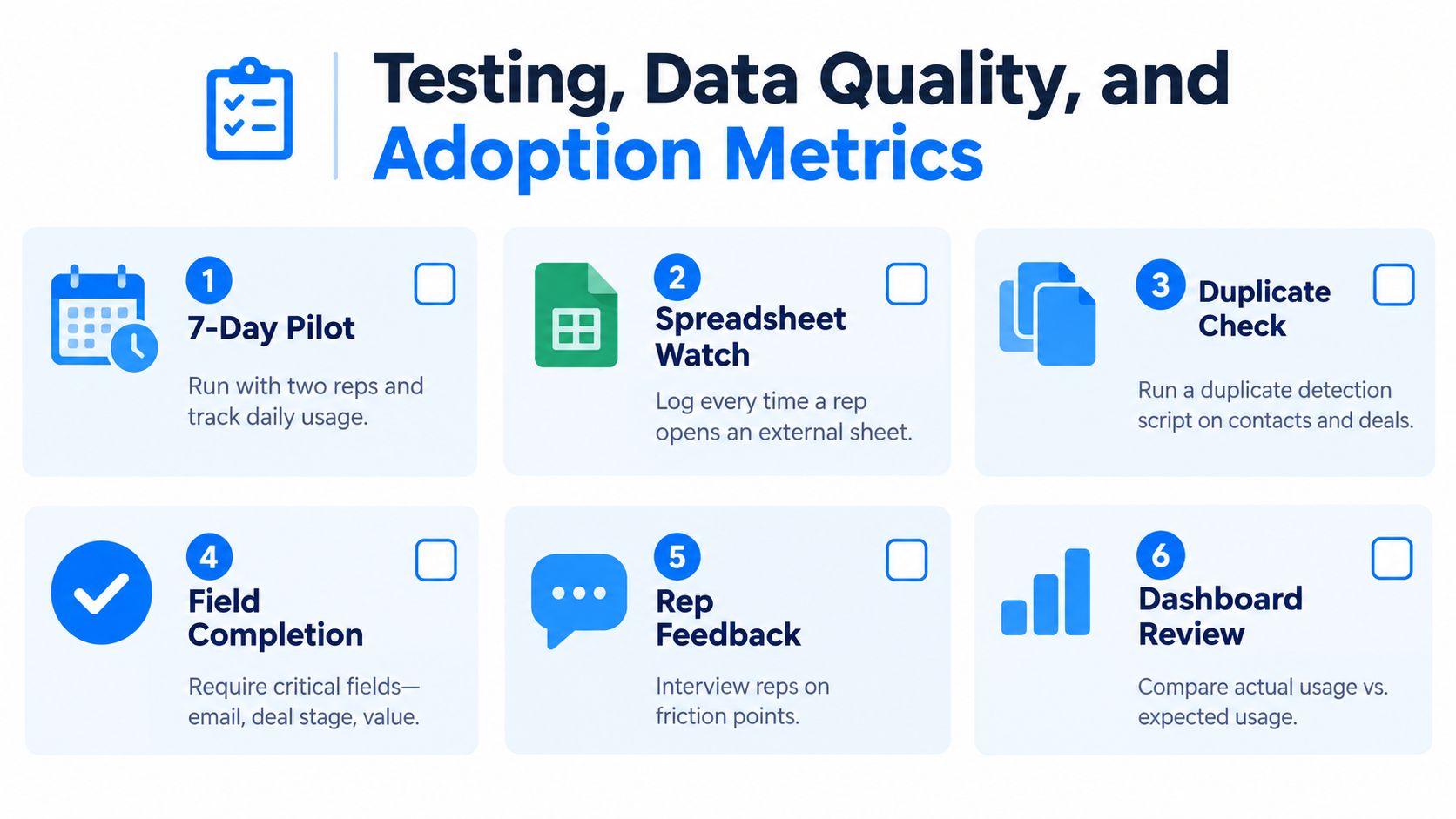
Run a small pilot and watch the cheating
Use a short pilot with two reps. Don't ask if they “like” the app. Watch when they leave it.
Every time they open a spreadsheet, copy notes into a doc, or track tasks in their inbox, log it. Those moments tell you exactly what the CRM still fails to handle. Fix those gaps before wider rollout.
Use these launch gates:
- Required company and deal fields: don't allow half-empty records
- Email dedupe: block duplicate contact creation on the same email
- Single owner rule: every deal needs one clear owner
- Stale deal flag: mark deals with no movement or activity after 14 days
Track usage like a product, not a purchase
Industry reporting puts CRM project failure rates between roughly 47% and 55%, with broader estimates ranging from 30% to 70% depending on the definition, and one analysis found about 42% of implementations failed to achieve meaningful user adoption within 90 days, as summarized in this CRM implementation failure analysis. That tells you where to focus. Not on feature depth. On daily use.
Track three usage metrics every week:
- Active-user rate: who logged in and worked in the system
- Record-completion rate: are required records fully filled out
- Stage-conversion rate: are deals moving through the pipeline as expected
If reps keep the spreadsheet open next to the CRM, the CRM hasn't won yet.
Treat weak usage as a blocker. Don't promise yourself you'll fix adoption “later.” Later never comes. The best first release is opinionated, easy to connect to existing email and calendar tools, and centered on the rep's day, not the founder's ambition.
Building and Shipping a Working CRM in Webtwizz
I'd build this kind of CRM in a weekend by starting with the data model prompt, then forcing the app to prove it can handle one real sales flow before adding anything else. The point isn't to make a perfect system. The point is to get a live app into two users' hands fast enough that they can break it.
Prompt one for the core schema
Type this:
Build a CRM web app with four core tables: Contacts, Companies, Deals, and Activities. Contacts have name, email, phone, owner, and source. Companies have name, domain, and segment. Deals have name, amount, stage, close date, and owner. Activities have type, subject, due date, status, and notes. A contact belongs to one company. A deal belongs to one company and can link to multiple contacts. Activities can belong to a contact, company, or deal. Add list views and detail pages for each table.
That gets you the app skeleton.
A builder like Webtwizz fits here because it's aimed at non-technical founders who want a real deployable web app, not just a front-end mockup, and the handoff matters. If you're building your own CRM, make sure the export package includes source files, dependency lockfiles, environment templates, database schemas, migration files, and deployment instructions, as outlined in this guide to source code ownership and handoff. Otherwise you don't own a working product. You own a demo.
Prompt two for the pipeline and roles
Next prompt:
Add a Deals page as a Kanban board grouped by stage. Stages are New Lead, Qualified, Proposal Sent, Negotiation, Won, Lost. Each card shows deal name, amount, owner, and close date. Dragging a card to a new stage updates the stage field and logs an activity entry with timestamp and user.
Then prompt roles:
Add authentication with email and password. Create three roles: Admin, Manager, and Rep. Admin can do everything. Manager can view all records and edit team records. Rep can only view and edit records they own. Hide settings from reps. Filter all list pages based on role.
That's enough to get a usable internal CRM.
Prompt three for lead capture and notifications
Now wire the intake:
Add a public lead capture form with fields name, email, phone, company name, and source. On submission, create a contact record, create or match the company by domain or company name, assign the record to the default sales owner, and create a follow-up task. Also send a team notification for the new lead.
After that, publish it, connect your domain, invite two pilot users, and enforce the required-field rules from the earlier section.
A little later, add this training asset for yourself or a teammate:
One more thing founders usually ignore. Compliance and auditability belong in the build, not in legal docs. Your CRM should keep record-level audit logs of who changed what and when, including record creation, field edits, deletions, exports, login attempts, and settings changes, with reviewable export events as described in this guide to CRM privacy concerns and audit trails. If you store customer data, also add consent timestamps, retention rules, and an erasure workflow, which this GDPR CRM configuration guide explains well.
Your Next Step to a Live CRM Today
Don't start by comparing twenty builders. Don't start by making a giant requirements doc. Start by generating the first working shell.
Open the builder and paste this prompt:
Build a CRM web app for a small sales team. Create four tables: Contacts, Companies, Deals, and Activities. Contacts need name, email, phone, owner, and source. Companies need name, domain, and segment. Deals need name, amount, stage, close date, and owner. Activities need type, subject, due date, status, and notes. Add list pages and detail pages for all tables. Add a Deals Kanban board grouped by stage. Add authentication with Admin, Manager, and Rep roles. Reps can only access their own records. Add a lead capture form that creates a contact, links or creates a company, assigns an owner, and creates a follow-up task.
Then do three things:
- Review the generated schema: confirm the fields and relationships are correct before changing the UI
- Turn required fields on: make sure email, deal stage, owner, and due date rules are enforced
- Publish the app: deploy it and invite two pilot users today
That's your first live CRM.
Don't expand it this afternoon. Let two real users work in it for a week. Watch where they leave the app. Fix those breaks. Then add the next workflow. That's how a non-technical founder ships a CRM instead of collecting half-built prototypes.
If you're still stuck on the build-versus-buy question, the short answer is simple. Buy and configure if your needs are standard. Build only when your workflow is specific or your compliance needs force your hand. Neutral guidance on the tradeoff points out that custom CRM is justified mainly for unique requirements, while a focused first module can be built in weeks but a full in-house system still takes months or longer, which this build or buy CRM guide lays out clearly. For most founders reading this, the smartest move is building the narrow version first and refusing to grow it until usage proves it deserves expansion.
Start with the smallest possible workflow. Ship before next Monday. Let the users tell you what version two should be.
Webtwizz lets you describe a real CRM in plain English, generate the working app, and publish it without hiring a developer. If you want to stop juggling spreadsheets and get a usable contact, deal, and activity system live this week, go try Webtwizz.
Last updated: September 19, 2026